This error indicates that the weather file doesn't include the Ground temperature data or the EPW format is not appropriate.
EPW Ground temperatures are missing
If your EPW file does not include the Ground temperatures then you have two options.

Option 1.
Improve the EPW file by providing the ground temperature data to your custom EPW file.
Below there is a fragment of the default London Gatwick weather file that we have in DesignBuilder.
Notice the ground temperatures row.
LOCATION,LONDON/GATWICK,-,GBR,IWEC Data,037760,51.15,-0.18,0.0,62.0
DESIGN CONDITIONS,1,Climate Design Data 2009 ASHRAE Handbook,,Heating,2,-4.6,-3,-7.6,2,-2.1,-6,2.3,-0.7,12.6,7.9,11.3,6.9,1.5,80,Cooling,7,9.7,27.2,18.7,25.2,17.8,23.8,17.2,19.7,25.4,18.7,23.8,17.8,22.1,3.5,90,17.8,12.9,21.9,16.9,12.2,20.5,16.1,11.5,19.6,56.3,25.7,53.2,23.9,50.4,22.2,1198,Extremes,9.8,8.6,7.6,23.6,-7.6,30.2,2.6,2.5,-9.5,32,-11,33.5,-12.5,34.9,-14.4,36.7
TYPICAL/EXTREME PERIODS,6,Summer - Week Nearest Max Temperature For Period,Extreme,8/17,8/23,Summer - Week Nearest Average Temperature For Period,Typical,6/29,7/ 5,Winter - Week Nearest Min Temperature For Period,Extreme,12/ 1,12/ 7,Winter - Week Nearest Average Temperature For Period,Typical,1/20,1/26,Autumn - Week Nearest Average Temperature For Period,Typical,11/10,11/16,Spring - Week Nearest Average Temperature For Period,Typical,4/19,4/25
GROUND TEMPERATURES,3,.5,,,,4.16,5.30,7.51,9.61,13.58,15.67,16.24,15.18,12.74,9.69,6.69,4.70,2,,,,5.73,6.01,7.27,8.68,11.72,13.67,14.64,14.43,13.03,10.93,8.56,6.69,4,,,,7.35,7.16,7.71,8.51,10.52,12.03,13.01,13.25,12.64,11.40,9.79,8.34
Option 2.
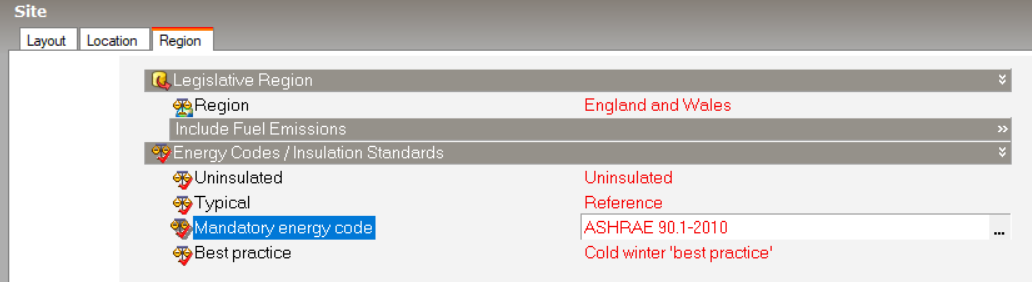
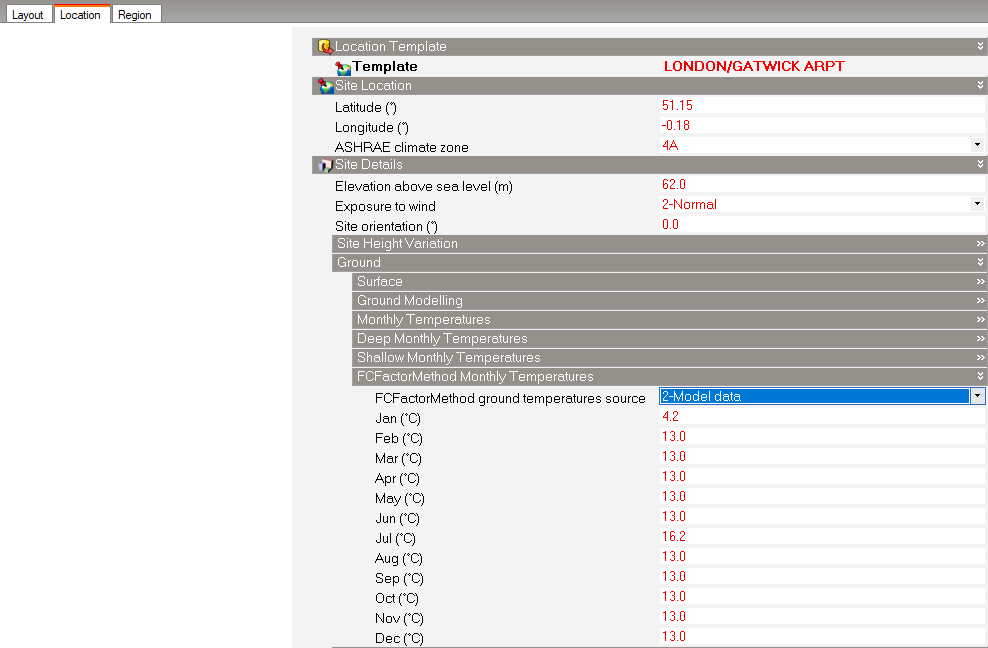
Select option 2-Model data for FCFactorMethod and assign the ground temperatures according to your project.
To enable this option you will need to set the "Mandatory energy code" (at Region tab) to one of the ASHRAE templates (See images below).
We recommend using a text editor such as Notepad++ to open the EPW file.
Different operating systems handle line endings differently.
For example, Unix systems use LF (Line Feed), while Windows uses CRLF (Carriage Return and Line Feed). If the LF line ending is being used in your EPW please change this line ending to CRLF.
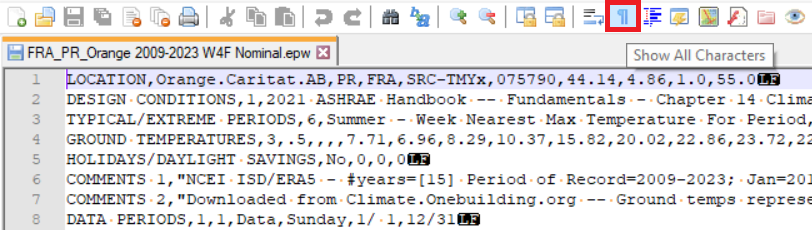
1) In Notepad++ go to the View > Show Symbol menu and select Show End of Line or click the Show All Characters icon to see the line endings characters visually.
2) You can then use the menu item Edit > EOL Conversion and select Windows (CR LF).
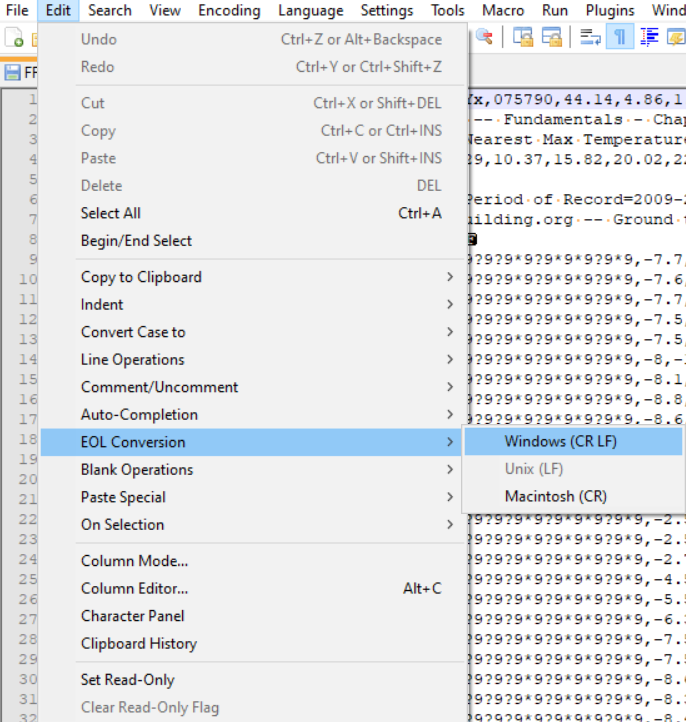
After selecting Edit > EOL Conversion > Windows (CR LF) your file will be correct for use in DesignBuilder.
Was this article helpful?
That’s Great!
Thank you for your feedback
Sorry! We couldn't be helpful
Thank you for your feedback
Feedback sent
We appreciate your effort and will try to fix the article