If heating or cooling in your model starts or stops on unexpected dates, or does not operate when the zone clearly requires it, check where the seasonal availability has been defined.
The same seasonal schedule can give different results depending on whether it is applied to the zone thermostat, to the plant loop, or to the heat source.
- Where to apply a seasonal restriction:
Apply the restriction at the highest level that achieves what you need, working down this list only if the level above is not sufficient.
1. Zone thermostat setpoint schedules (preferred).
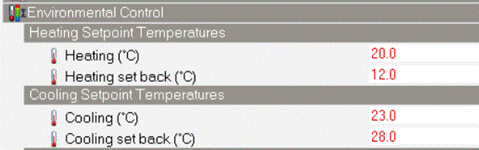
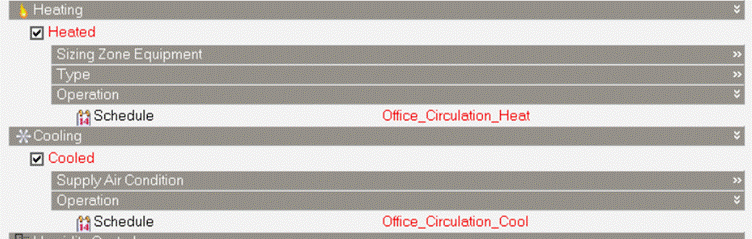
- With Detailed HVAC Activity data set to 1 - Simple HVAC Data:
Setpoint temperatures on the Activity tab, and the Heating operation schedule and Cooling operation schedule on the HVAC tab.
- With Detailed HVAC Activity data set to 2-Detailed HVAC Data:
On the HVAC Zone dialog, General tab, in the Heating setpoint temperature schedule and Cooling setpoint temperature schedule.
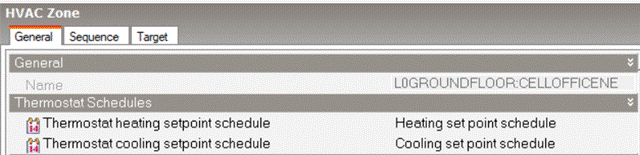
Relaxing the setpoint out of season means the zone stops requesting the load, so no unmet hours are generated. This is generally the most consistent of the three options.
2. Plant loop availability schedule.
- On the Plant loop dialog, General tab, under Operation, in the Availability schedule.
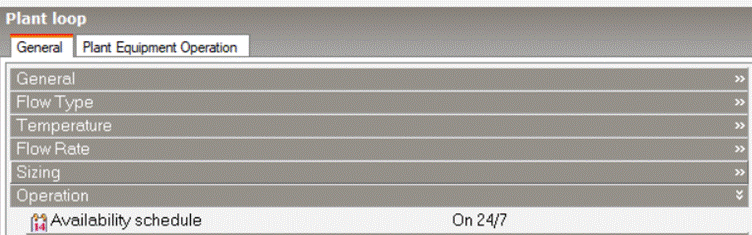
Use this when the whole loop should be off out of season. The loop is disabled cleanly: pumps do not run and no equipment is dispatched.
Any load the zones still request will appear as unmet hours, unless the thermostats are also not available.
3. Source capacity fraction schedule
- On the heat source dialog, for example District cooling or District heating, in the Capacity fraction schedule.
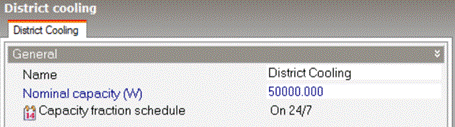
Use this only where you are deliberately modelling a capacity limit, not to switch a season on and off.
- Why restricting the source can cause problems:
The Capacity fraction schedule scales the capacity available from the source. It does not make the loop unavailable. With the capacity fraction at zero the loop remains available, the pumps can still run, and the demand components continue to request a load that cannot be met.
Depending on the system, this can produce:
- heating or cooling that begins on a different date depending on the simulation run period;
- water circulating at a temperature far from the loop setpoint;
- components that produce no output even when the zone is well outside its control band.
Note that this applies to any plant component with a capacity modifier schedule, not only to district heating and district cooling.
- Recommended approach:
1. Define the seasonal restriction in the thermostat setpoint schedules first.
2. If the plant must also be off out of season, apply the same seasonal schedule to the Availability schedule on the plant loop.
3. Leave the Capacity fraction schedule on the source set to On 24/7.
Note that radiant surfaces in Detailed HVAC control on their own Cooling control temperature schedule and Heating control temperature schedule on the Radiant surface dialog, and do not use the zone thermostat. For these components, apply the seasonal restriction in those schedules instead of on the HVAC Zone dialog.
See also:
Was this article helpful?
That’s Great!
Thank you for your feedback
Sorry! We couldn't be helpful
Thank you for your feedback
Feedback sent
We appreciate your effort and will try to fix the article