In some cases, the DSM calculation may not generate the BRUKL.inp file when running BRUKL assessments.
When this happens, the simulation will proceed, but no results will be displayed in the DesignBuilder interface, which will show a 'Calculating' message:
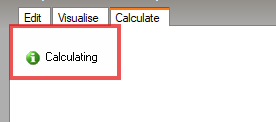
This issue commonly arises in models containing atria, or in zones where the entire floor has been replaced with a Hole. This triggers a problem because DesignBuilder uses the Floor Area to calculate Criterion 3 (Solar Gains compliance) for DSM calculations, and a zone with no floor construction has no Floor Area for it to use.
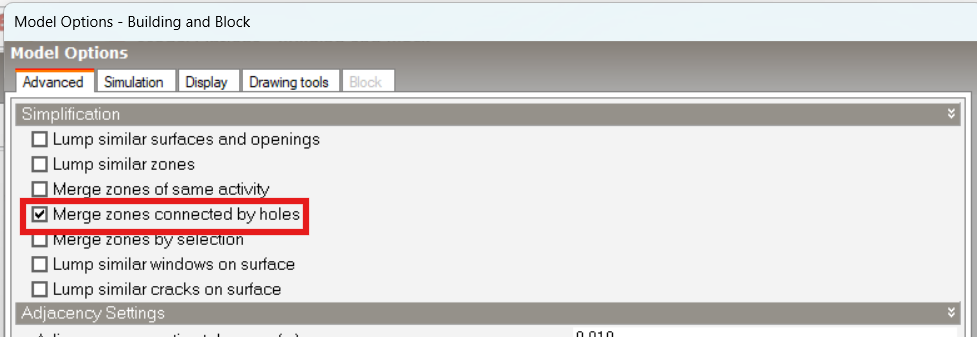
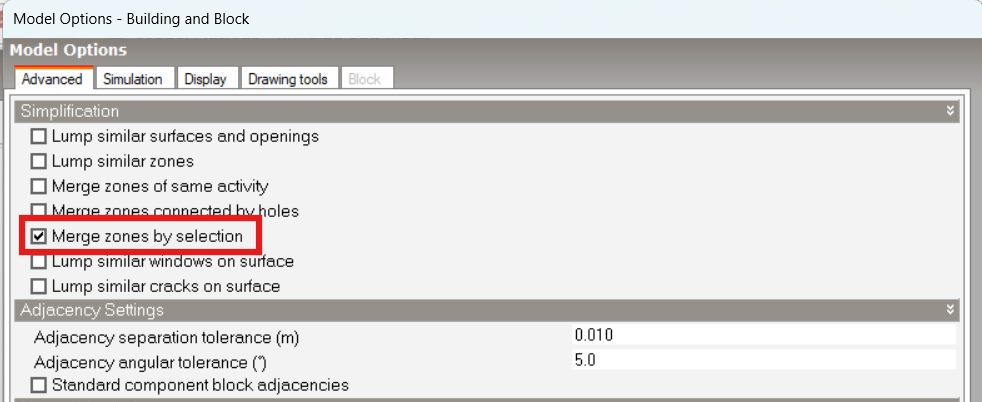
To avoid this issue, use the 'Merge Zones Connected by Holes' or ' Merge Zones by Selection' option. These options are available at Model Options > Advanced:
Merge Zones by selection:
Next, use Tools > Merge Zones to select the zones you want to merge:
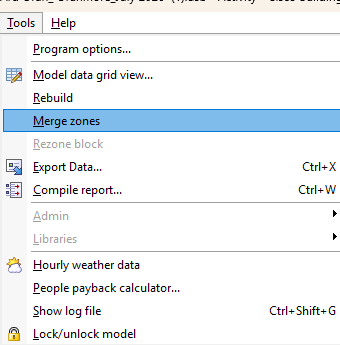
This process will ensure that the zones will have a floor area to be used and the calculation should proceed.
Was this article helpful?
That’s Great!
Thank you for your feedback
Sorry! We couldn't be helpful
Thank you for your feedback
Feedback sent
We appreciate your effort and will try to fix the article