SEAI released a new version of SBEMie engine (5.7.a) to meet the 2024 Energy Performance of Buildings Directive (EU/2024/1275, EPBD) which came into force on 29/05/2026.
There will be additional updates to SBEMie (5.7.b & 5.7.c) in the next few months.
This article will be updated when new releases become available.
5.7.b is the latest release
SBEMie 5.7b Building Sector and Building Rating
Please use the hyperlinks in this article to find documentation and software.
Whilst SEAI are providing the necessary specifications and organising a validation scheme they have provided an interim solution to enable you to provide BER Certificates with DesignBuilder v6.1.9.
The documentation for this solution is provided on the SEAI webpage. The solution requires you to install two additional pieces of software:
- InpBridge which modifies the SBEMie input file created with DesignBuilder v6.1.9
- SBEMie interface iSBEMiev5.7.b
Note that you do not need to know how to use iSBEMie. It is provided so that the SBEM v5.7 engine (used by all SBEM interfaces) can be accessed and the easiest way to do this is to install iSBEMie.
Customers are advised to follow the following steps to run SBEMie calculations in compliance with v5.7. Note that generic instructions are available on the SEAI webpage, including a guide for InpBridge. which provide full details and you should read those too.
- Download and install InpBridge
- Download and install iSBEMiev5.7.b (you may need to add this to your Trusted software)
- Complete data entry and BER calculation in DesignBuilder v6.1.9. Even if you have already done this you should rerun the calculation to ensure the correct project files are stored in your sbem folder. DesignBuilder uses the same file names for each calculation so stores only files from the most recent calculation.
- You can now open InpBridge and enter the required data:
- The folder used by DesignBuilder for your SBEMie v5.6.a files. You can find this through the DesignBuilder interface
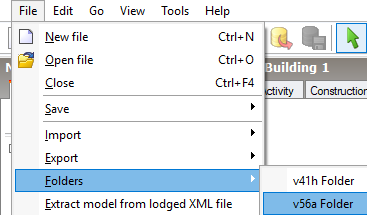
- It will generally be of this format: C:/Users/janedoe/AppData/Local/DesignBuilder/56a.
- Note that InpBridge has a Browse function to access Windows File Explorer and navigate to the folder
- In DesignBuilder, the SBEM input file always has the name model.inp
- The iSBEMv5.7 folder. If you choose the default when installing, this will be C:/NEAP/iSBEMie_v5.7.a_x64, C:/NEAP/iSBEMie_v5.7.b_x64 or C:/NEAP/iSBEMie_v5.7.c_x64
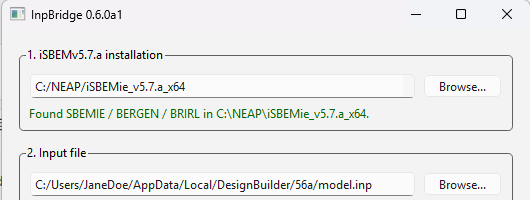
5. Edit the EPBD parameters if needed (for more information, check Section 4.3 of the InpBridge-User-Guide)
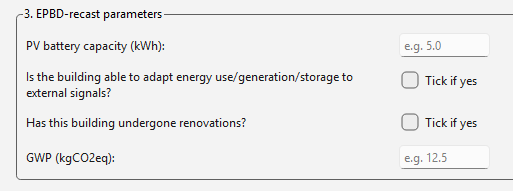
6. DesignBuilder v6.1.9 is an approved SBEMie v5.6.a interface:

7. You can now run the analysis with the new inputs

8. The calculation is executed
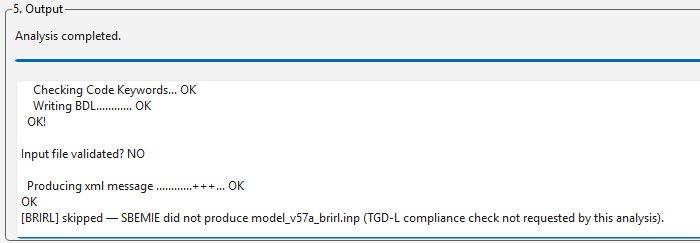
9. The XML can be found in the same folder as your input file (note there may be two xmls: one from the 56a calculation, the other from the 57 calculation: check the Date modified to ensure you select the correct one).
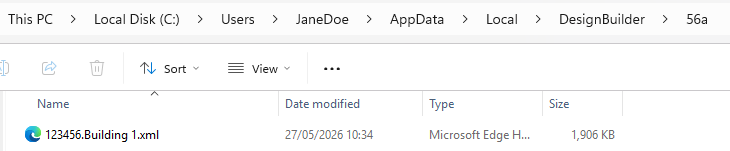
10. Copy this to your project folder for safe keeping!
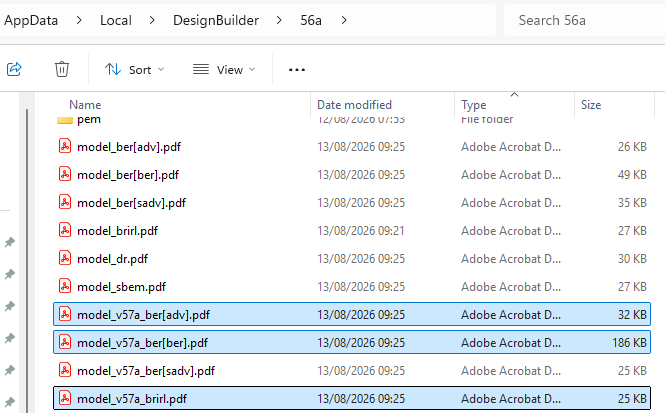
11. Note pdf documents for BRIRL, BER Certificate and Recommendations will also be sent to this folder. 57b outputs will show as 57a. Note that Recommendation editing will need to be done in DesignBuilder v6.1.9 followed by use of InpBridge to generate new Recommendations file and corresponding XML.
Was this article helpful?
That’s Great!
Thank you for your feedback
Sorry! We couldn't be helpful
Thank you for your feedback
Feedback sent
We appreciate your effort and will try to fix the article