Single-user licences are monitored via the DesignBuilder website.
Please note:
- Remote deactivation is not supported for single-user licences.
- All activation and deactivation actions must be carried out locally using the DesignBuilder Licence Manager installed on each PC.
Viewing Licence Activation Details
To check which computer a single-user licence is activated on:
1. Log in to your DesignBuilder account
- Go to the DesignBuilder website and sign in to your account.
Only license owner can see this information.2. Navigate to your activation codes
- Go to:
Your Account → Your Activation Codes
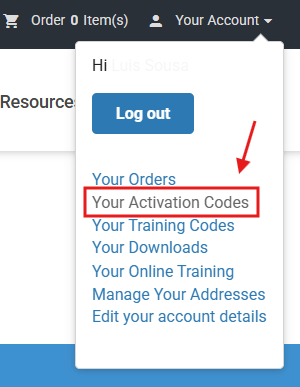
3. Locate the relevant activation code
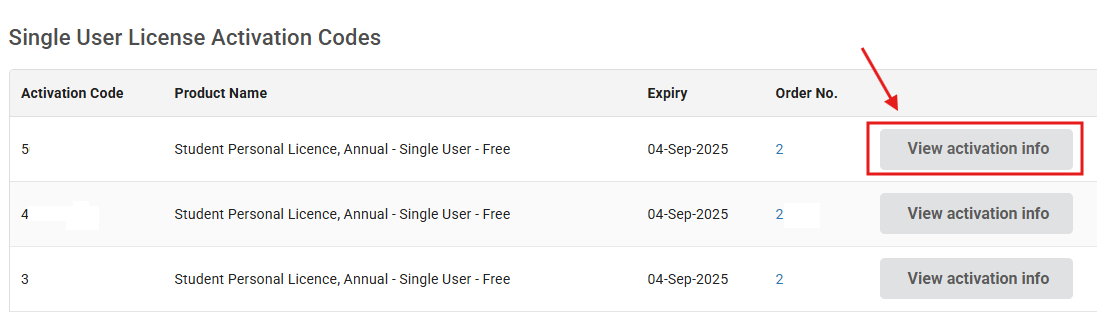
- In the “Single User Licence Activation Codes” table, find the activation code you want to review.
- Select “View activation info”.
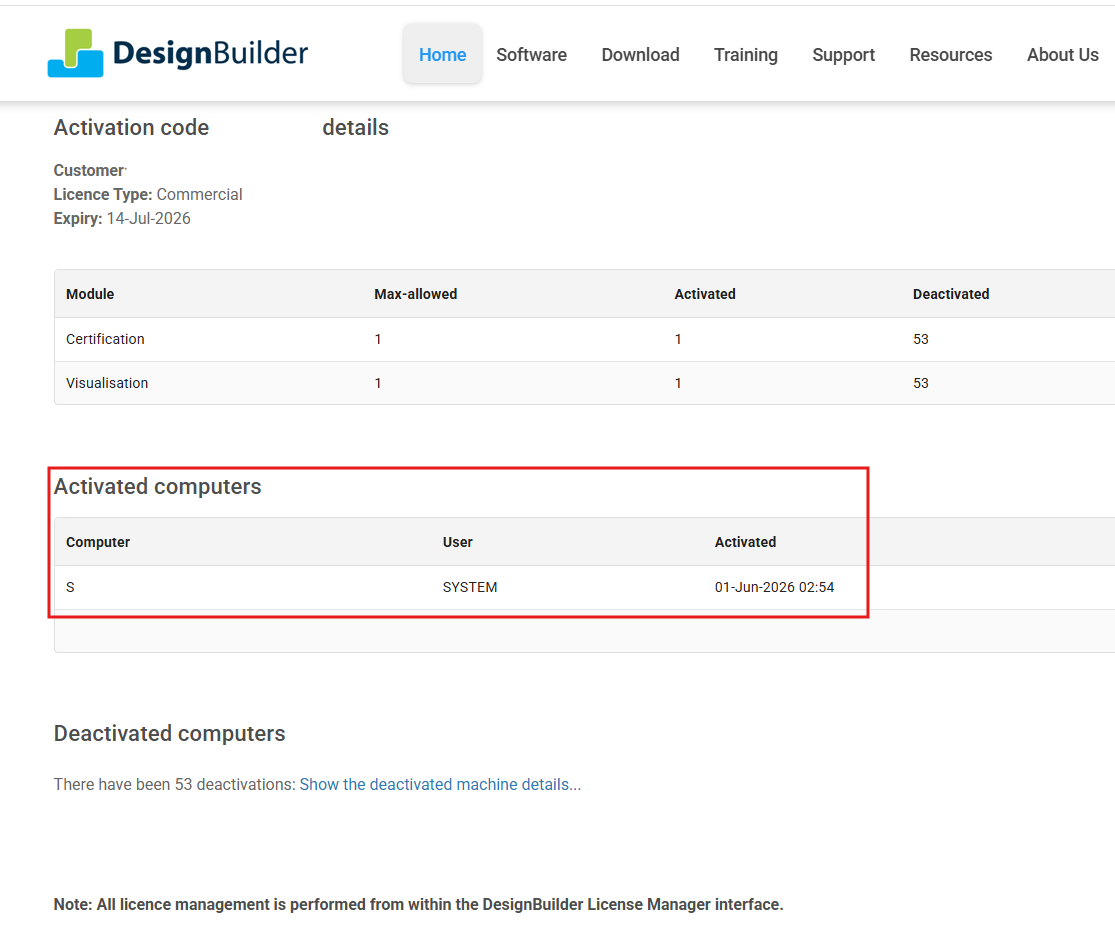
4. Review activation details
- The Activation Code Details page will be displayed.
- This page shows which PC the licence is currently activated on.
Important Notes
- Licence usage (active machine) can only be viewed through the designbuilder.co.uk website.
- Licence transfers between machines require deactivation from the original PC using the Licence Manager. How to deactivate a single user licence in DesignBuilder?
Was this article helpful?
That’s Great!
Thank you for your feedback
Sorry! We couldn't be helpful
Thank you for your feedback
Feedback sent
We appreciate your effort and will try to fix the article